
A talking companion for residents in aged care
For the common room or a resident’s room. Residents chat, play music and quizzes and reach their family.
The longest hours are the ones between activities. Staff time goes to care. Conversation is what runs short.
Talk, play and stay in touch
A friendly voice, any time
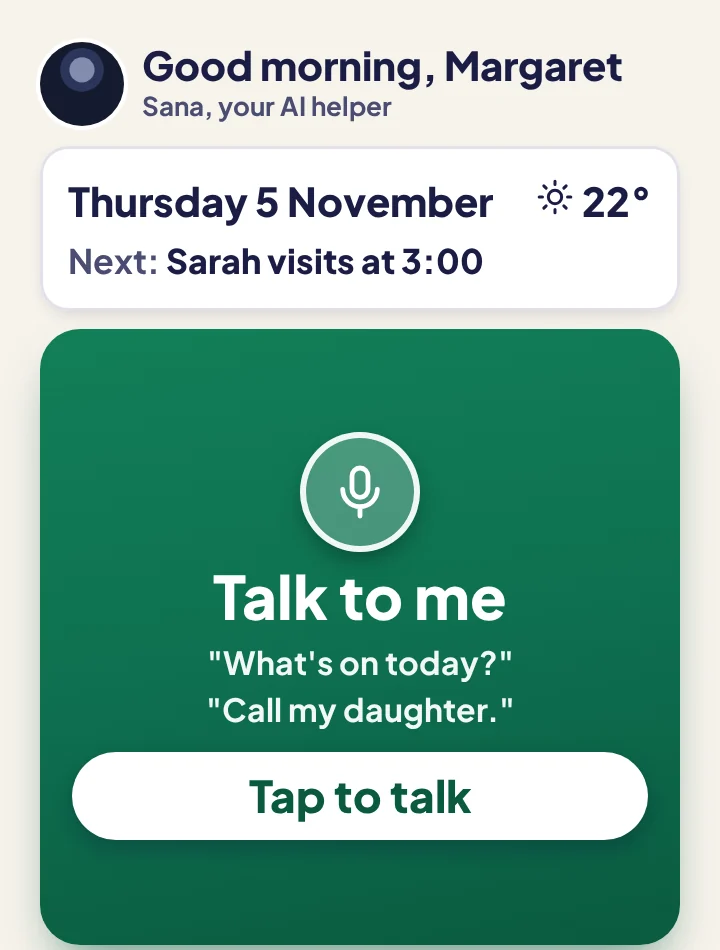
Residents tap “Talk to me” and chat with Sana, the companion, in plain words. No menus to learn.
Music, quizzes, photos, stories
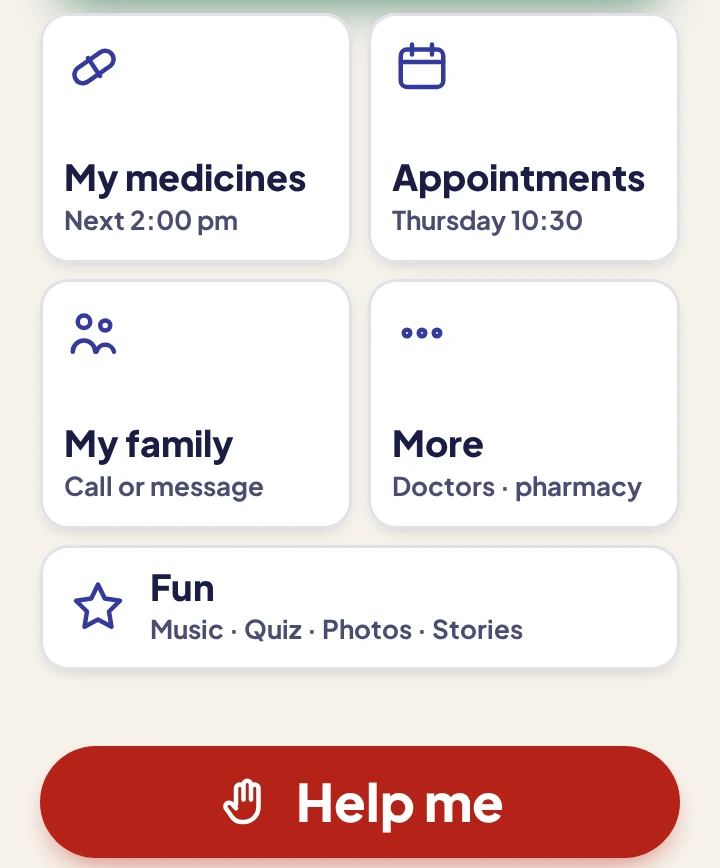
Something to do between activities, on big tiles that are easy to see and press.
Call or message family
“My family” puts the people who matter one tap away, without a trip to the nurses’ station.
What’s on today
The date, the weather and what’s next, like a visit at three, set up by your team.
Beside your staff, not instead of them
- “Help me” is always on screen. A big red button, at the bottom of every page, designed to end with a person.It isn’t an emergency service. In an emergency, call 000.
- Health questions go to the nurse. The companion doesn’t answer them.
- Big type and big buttons. Designed for older eyes and hands.
What it’s designed not to do
- Give medical or medication advice. Health questions go to the nurse.
- Replace your nurse call system or your staff.
- Handle anything urgent. “Help me” always goes to a person.
Staff control it from the kiosk with a PIN. In a build, we’d set up the day’s activities, visits and answers with your team, in your words. What a build keeps, who sees it and where it lives go in its spec, agreed before anything goes in.
Meet the companion
A short demo, set up for a residential home.