
A front-desk kiosk for skin cancer clinics
Patients ask Sana, the clinic’s AI helper, what a skin check involves and how long a visit takes, in the clinic’s own words. The board calls them by code when the doctor is ready.
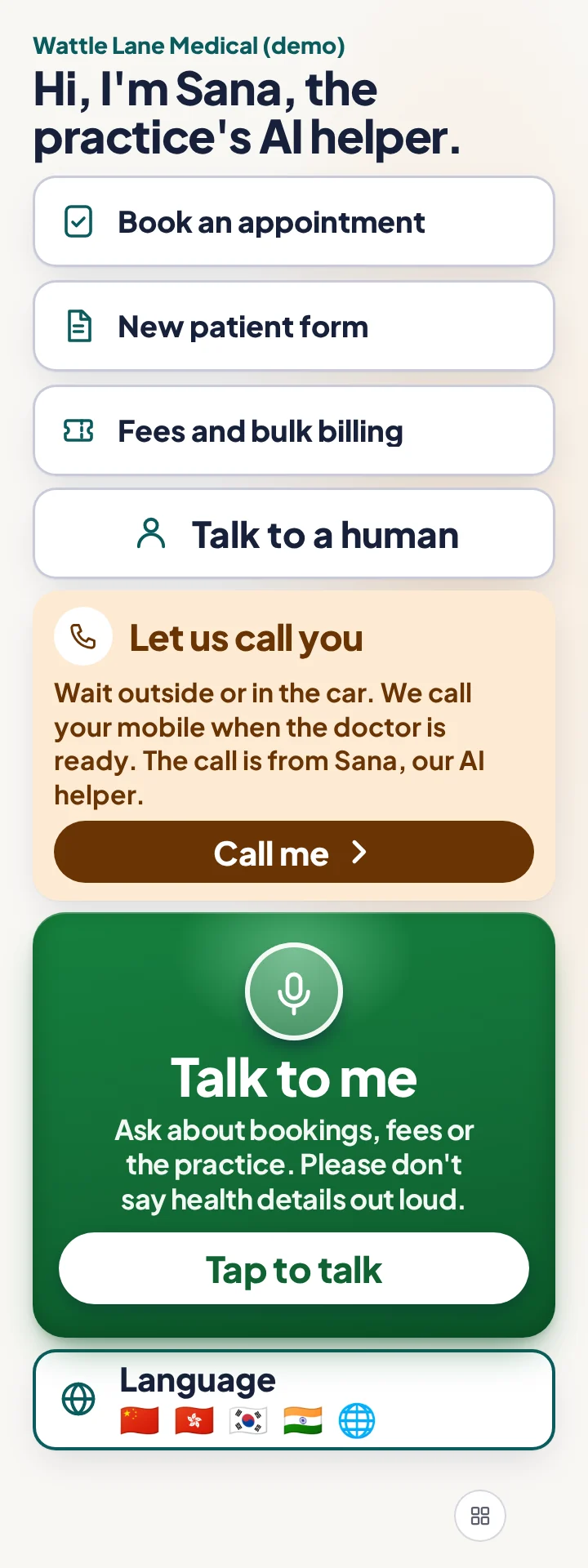
First visits come with first questions. “What happens in a skin check?”, “How long will I be?”, “Where do I park?”, all at the desk.
Three jobs it could take off the desk
Explain the visit, in the clinic’s words
What a skin check involves, as the clinic words it. How long a visit takes, as a rough guide the clinic sets. Parking and fees. The kiosk gives the clinic’s own answers, not a guess. Patients choose their language on the home screen.
Call patients when the doctor is ready
“Let us call you” sits on the home screen. Patients leave a mobile number and can wait outside or in the car. The waiting-room screen shows codes, never names: who can come in now, and who is up next.
Designed to hand over to a person
“Talk to a human” is always on the screen. The kiosk does not answer health questions, and asks patients not to say health details out loud. Anything about a spot, a check or a result goes to a person.
What it’s designed not to do
- Look at skin. It never asks to see a spot.
- Say what a spot is, or whether it needs checking. A person does all of that.
- Give results. Results come from the clinic, never from the kiosk.
- Guess how many minutes a wait will be. For that, it sends patients to reception.
- Show patients’ names. The waiting-room screen uses codes like
G-14. - Connect to your clinical or practice software. It’s designed to sit beside your systems, not inside them.
Staff control it from the kiosk with a PIN. In a build, we’d set up the answers with your clinic: what a check involves, how long a visit takes, parking, fees and who to ask, in your words. What a build keeps, who sees it and where it lives go in its spec, agreed before anything goes in.
Not a skin clinic? See the other practice types.
See it at your front desk
A short demo, set up as a skin cancer clinic.